

A message did most of the marketing work a few years back. A good offer, a clear price, an honest description. All that was usually enough to get someone to click, even if the photo behind it wasn’t great.
That’s not how it works anymore. Feeds are crowded enough. Hence, now a viewer decides whether to even read the message before they’ve read a single word. The photo or video makes that call in about a second.

A flat, dim product shot doesn’t get a fair reading of the caption underneath it. It gets scrolled past, and the message never has a chance to land at all.
A small business selling out of a spare room or a garage doesn’t have that option. Hiring even a fraction of that setup for one campaign can run into hundreds of dollars before a single post goes live.
So the choice is blunt: pay for quality, or post something rough and hope the offer carries it. AI is closing that gap now: not by replacing the team a small business can’t afford, but by doing the jobs that team used to handle.
Why Professional Visual Content Matters for Small Businesses?
A shopper scrolling through a marketplace isn’t comparing products first. Instead, they’re comparing photos. Two nearly identical items, same price, and the one with the sharper, brighter photo gets the click almost every time.
- First impressions happen before the message does. A viewer decides whether a listing looks trustworthy in about a second before reading a single word of the description.
- Poor photos don’t bring conversions. A dark or blurry image reads as low effort, and low effort reads as unreliable. This backfires even when the product itself is fine.
- Reshoots are expensive, so most businesses skip them. A proper product shoot with a photographer typically runs a few hundred dollars per session: before video, before a second round for a new product line.
Fixing the Photos You Already Have
Here’s a problem almost every small business runs into. The product photos start looking “outdated” or just don’t match the brand’s look anymore.
A full reshoot isn’t something most small businesses can justify for time and cost.
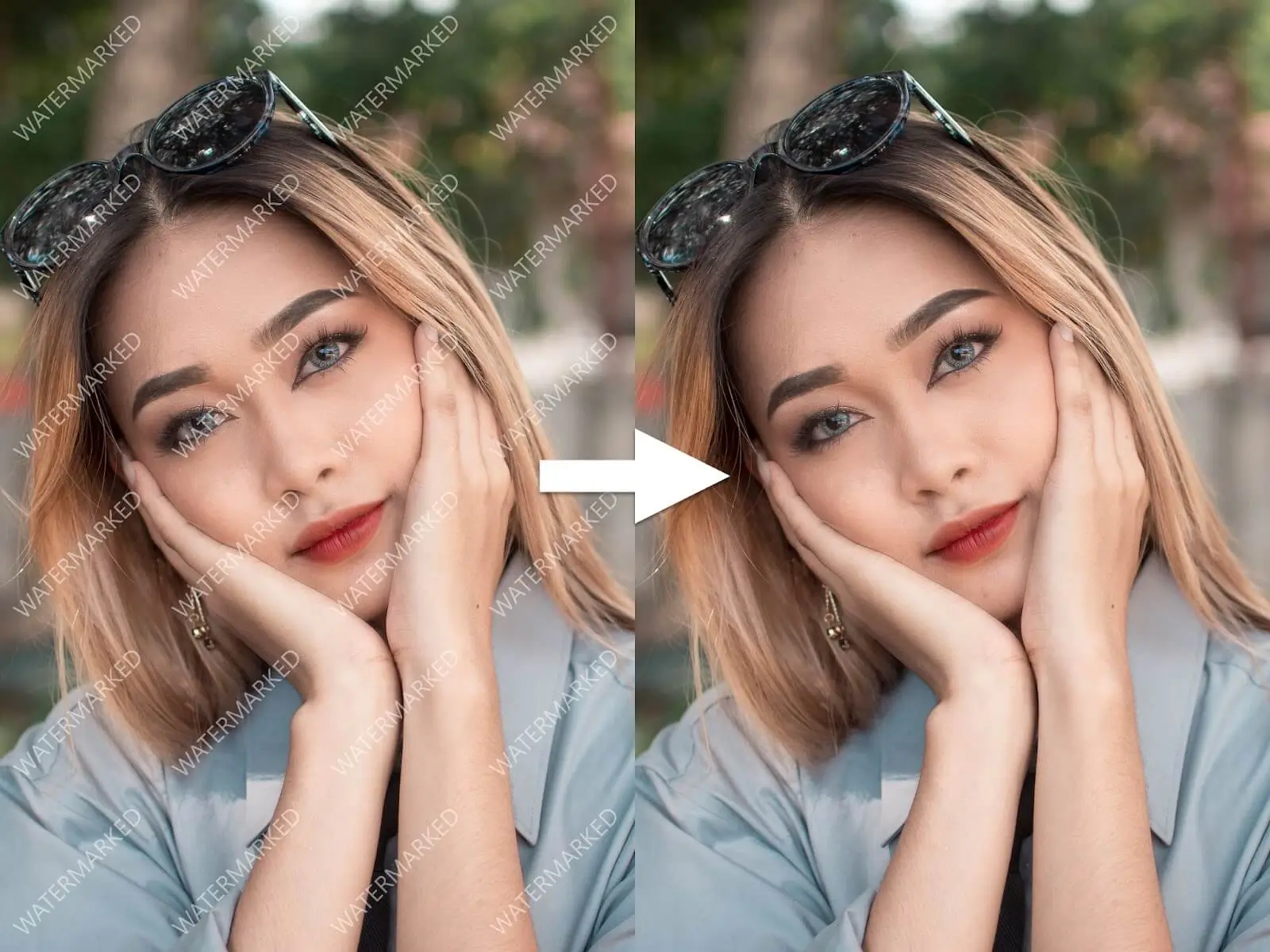
So the old photos stay up. Customers notice a slightly blurry or low-res shot next to a competitor’s crisp one. AI tools fix what’s already there instead of requiring a reshoot. Product image enhancers use AI models trained to recognize edges and lighting patterns in photos.
When a photo comes in blurry or low-res, the model fills in the missing detail based on what it’s learned from similar images
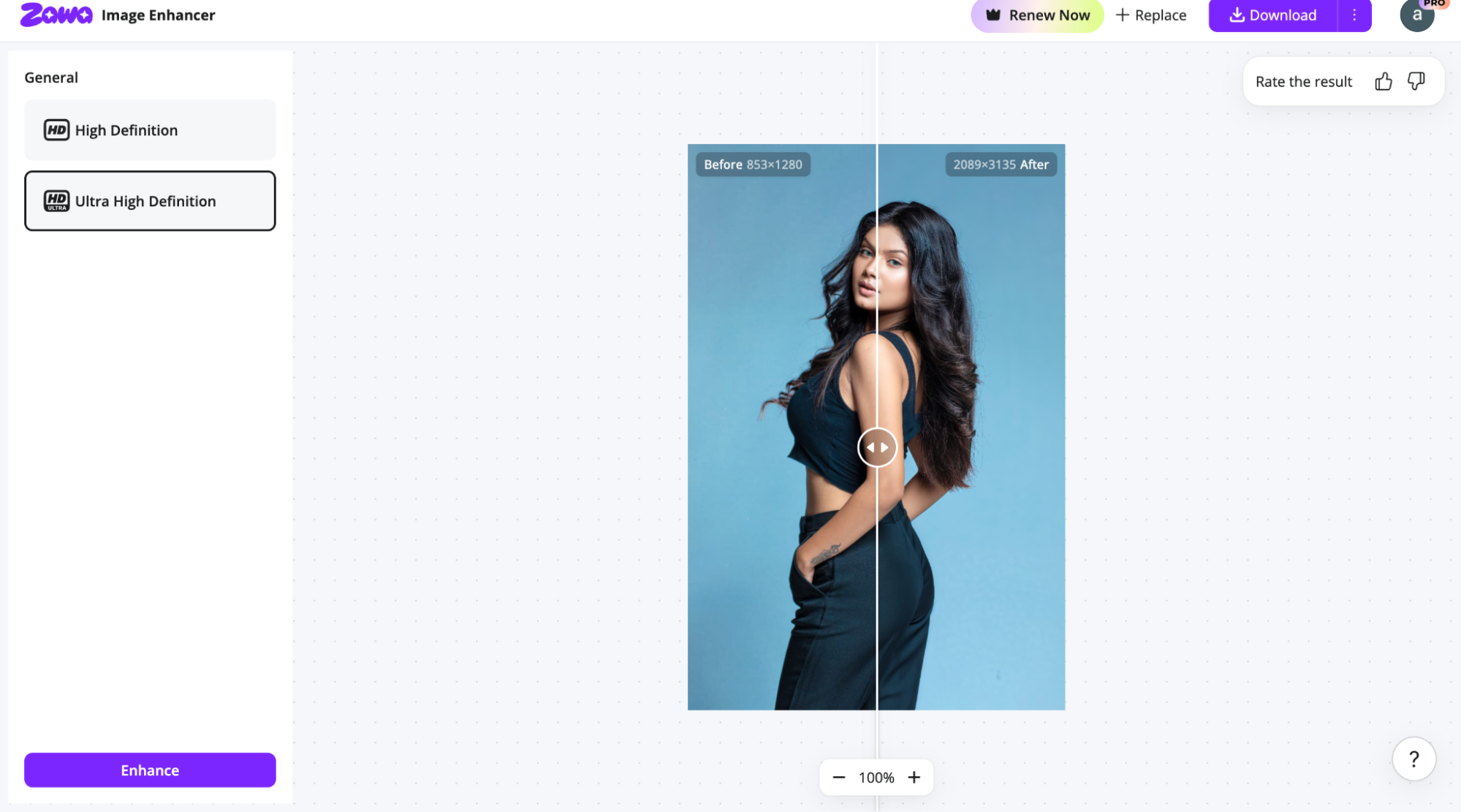
Take clothing, for example. AI tools like Zawa HD picture converter can sharpen fabric texture, fix a blurry logo, or correct faded color. It can bring a flat product shot closer to how it actually looks in person.
Food works the same way. Texture sells the shot: the char on bread, the moisture on fruit. A low-res photo flattens all of that. AI brings it back, sharp enough to make the photo look worth ordering from.
Build a Consistent Brand Identity.
People are bound to remember a brand more when its appearance is consistent across all platforms. AI can assist small businesses in presenting a consistent brand identity by creating logos, giving color suggestions, and designing branded templates.
These tools analyse existing design patterns to suggest combinations that maintain consistency across websites and marketing materials.
There are some AI tools, such as Zawa AI, that create complete brand kits that can be applied to various websites and marketing platforms.
A complete brand kit typically includes:
- A logo and logo variations.
- A consistent color palette.
- Font recommendations.
- Reusable templates for marketing materials.
A small business launching a new product can use these assets across promotional campaigns. This helps customers recognize the brand.
This makes it possible for small businesses to maintain a consistent brand identity without a designer.
Repurpose Marketing Videos.
Making one piece of content from scratch usually takes longer than people think. A single polished post, shot formatted for one platform, takes a designer or editor somewhere around 30-45 minutes on average, once you count reviewing footage + cutting it down+ adjusting it to look right.
Now multiply that by every platform it needs to go on. A video for Instagram and one more for a website.
That’s not one 30-minute job. It’s actually three, because each platform needs its own crop, its own format, its own pass. At a freelance rate of $50-$75 an hour, three reformatted versions of one video can run close to $100-$150.
That’s the real cost of repurposing manually, not the content itself, but the multiplication.
An AI subscription tool changes that math. Instead of paying per platform, per version, one subscription covers the reformatting, the cleanup, and the export all from the same file. A single upload turns into every version a business actually needs, with one click instead of three separate editing sessions.
Respond to Trends Before They Fade.
In 2026, online trends disappear within days. For small businesses, waiting too long to create a promotional post means missing the moment.
AI helps businesses create social media graphics and prepare marketing assets much faster. Instead of spending hours designing a post, owners can quickly customise AI visuals. They can publish a post while the topic is still relevant.
Responding quickly is more than a marketing advantage. It helps businesses communicate timely offers and engage customers when interest is highest. Plus, they can avoid losing potential sales simply because their campaign was delayed.
A Simple Workflow for Small Businesses
Most small businesses don’t need a new process for every photo or video: just one they can repeat without thinking too hard about it.
- Batch what you’re shooting new. Instead of photographing one product at a time, set aside one session to shoot everything that needs a new photo: same light, same background, done once.
- Sort what already exists. Go through current photos and videos and flag anything that’s blurry, outdated, or doesn’t match the current branding. Most of this doesn’t need reshooting, just fixing.
- Run both through the same tool. New shots get color-corrected and sharpened before posting. Old ones get fixed or cleaned up using the same process, whether the photo is from today or two years ago.
- Export for every platform at once. One file becomes the square version, the vertical version, and the widescreen version: no separate editing pass for each.
Reshooting vs AI Fixing for Small Businesses
| Sign | What It Usually Means | Reshoot or Fix? |
| Photo is over a year old and still in use | Still functional, just aging | Fix |
| Doesn’t match current branding | Style shifted, product hasn’t | Fix |
| Looks dated next to a competitor’s listing | Lighting or clarity issue, not the product | Fix |
| Blurry, dark, or pixelated | Image quality issue, not a product issue | Fix |
| Product itself has changed (new packaging, design, variant) | The photo no longer represents what’s being sold | Reshoot |
What Actually Changes?
None of this makes a small business’s photos or videos perfect. What it does is close the gap that used to be permanent the one between a business with a budget for a proper shoot and one without.
The work that’s left isn’t technical anymore. It’s deciding what to fix, what still looks off, and when something’s actually ready to post.
AI handles the part that used to take a photographer, an editor, or a designer. The judgment about what the brand should actually look like: That’s still on the business.
