

What is the first thing you do after you install Ubuntu or Debian? For me, and literally for almost everybody I met in the Linux world, the first thing is to install Synaptic. In November 13, Synaptic became 18 years old, and we are here to honor this good piece of software that served us for a long time.
For those who don’t know, Synaptic is a graphical package manager for the Debian-based Linux distributions. It allows you to install, remove and delete packages. Synaptic is quite unique in that its user interface is very functional and straightforward; You don’t need to learn it or spend time reading any document in order to use it. And on daily basis, despite its source code being unmaintained for around 2 years, its bugs and issues are very limited. It is indeed one of the best software ever made in the Linux world.

When you open Synaptic, you immediately find a list of all available packages in front of you. Then, either by browsing the sections you desire or by searching for specific packages you want, you can navigate to any package in order to run any task you want over it (Install, removal, complete removal and upgrade).
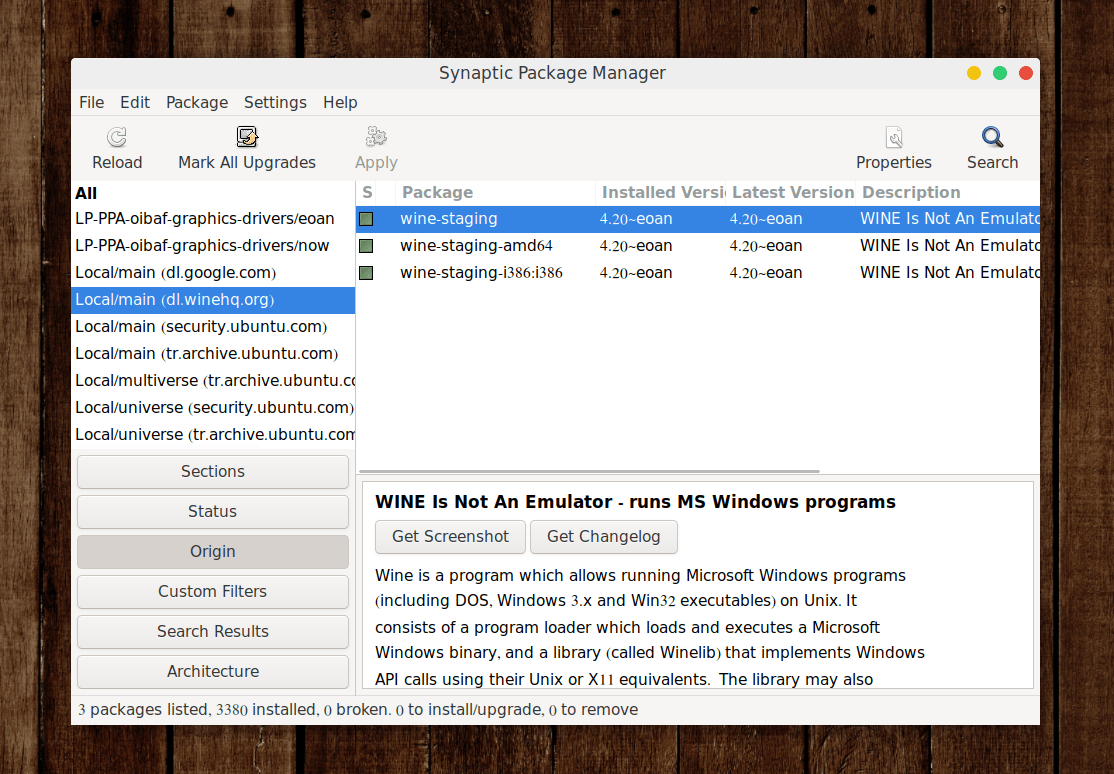
We love Synaptic because any power user would love to have all the features it offers; Synaptic allows you to force a specific version of a package, browse a list of broken packages to solve them, install/remove/upgrade all packages in a selection, browse recommended and community packages, find all the info you need about any package you want and much more. It is the Swiss knife of package management on the Debian-based Linux distributions.

History of Synaptic

Synaptic was originally developed by the Brazilian Linux company Conectiva in 2001, slowly becoming mainstream in the Linux world. The first Ubuntu release, 4.10, came with it shipped by default. And this went on till Ubuntu 10.10, where Canonical decided that users should deal with the concept of apps on Linux instead of packages, and thus removed it from the official ISO images (But remained in repositories till this very day) and replaced it with the Ubuntu Software Center.
Per the “People” page in its official homepage, we would like to thank all of the following developers, contributors and maintainers of Synaptic:
- Alfredo K. Kojima.
- Michael Vogt.
- Gustavo Niemeyer.
- Sebastian Heinlein.
- Enrico Zini.
- Panu Matilainen.
- Sviatoslav Sviridov.
Installing Synaptic
If you don’t already have it, Synaptic is available in the official repositories of Debian and Ubuntu (and all the distros that are based upon them)… So to install it, simply run:
sudo apt-get install synaptic
Then simply launch it from the application menu like any other program.
Final Words
Synaptic saved me personally a lot of time and headache in dealing with packages over a decade of using Linux. It is so sad to see that it’s no longer under active development, although of the huge list of features and ease of use it offers. Still, it’s very usable till this very day, and I’m quite happy to have it on all my Debian-base systems.
If you have any opinion in favor or against Synaptic, I would love to hear them in the comments below.
