

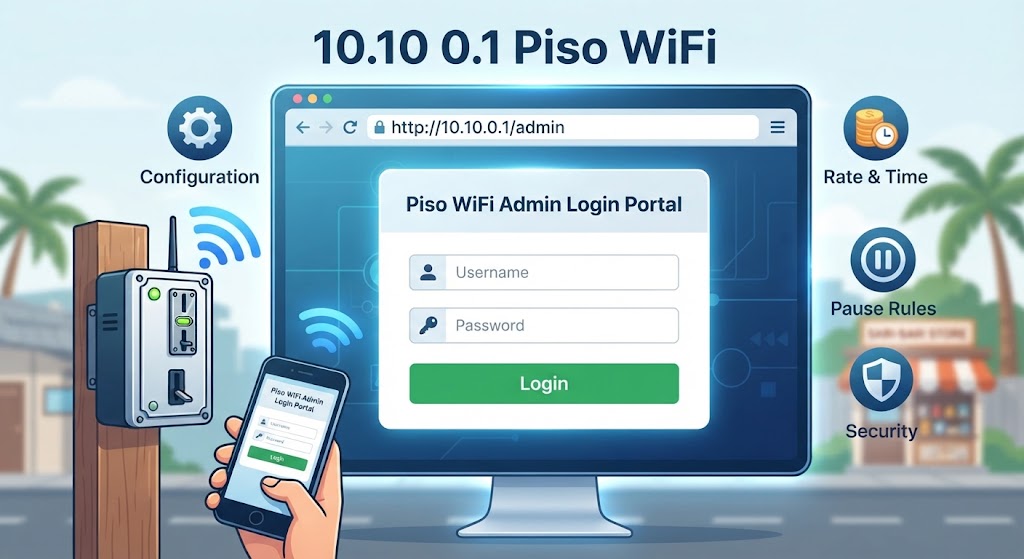
Piso WiFi vendo machines run on a small router panel, and 10.10.0.1 is the gateway that some units use in place of the more common 10.0.0.1. Owners open it to set rates, session caps and pause rules. Customers open it to check remaining minutes. This guide covers the 10.10 0.1 Piso WiFi admin login, default credentials, pause time controls, and what to do when the portal refuses to load.
What Is 10.10 0.1 Piso WiFi?
10.10.0.1 is a private IPv4 gateway address. Coin-operated hotspots in the Philippines assign it to the vendo router so every connected phone routes traffic through that single point.
The address works the same way a home router gateway such as 192.168.1.1 does. It only opens while your device sits on that hotspot network. Mobile data or a different Wi-Fi network returns an error page.
Firmware brands you will meet on these machines include LPB Piso WiFi, AdoPiSoft and PisoFi. Each ships its own portal layout, though the login path stays similar.
How to Reach the 10.10 0.1 Piso WiFi Admin Login Page
Step 1: Connect to the Vendo Network
Join the hotspot from your Wi-Fi list. Network names run along the lines of LPB Piso WiFi, AdoPisoWifi, or the store name itself. Most need no password.
For configuration work, an Ethernet cable into the router LAN port beats wireless. A dropped signal halfway through a settings save creates more problems than it solves.
Step 2: Open the Address in a Browser
Type http://10.10.0.1/admin into the address bar, not the search box. Skip the www prefix. Watch for the lowercase L mistake that turns the digits into an invalid host.
Android users should switch off mobile data first. The phone otherwise sends the request out over cellular and the captive portal never appears. On iPhone, the login sheet usually pops up on its own after connecting.
Step 3: Enter the Admin Credentials
LPB firmware ships with the username admin and the password 123456789. Other builds default to admin and admin. Machine resellers often print custom credentials on a sticker under the unit.
Once you change that password, keep it in a password manager rather than a notes app. A lost admin password on a vendo machine means a factory reset and a full reconfiguration.
What You Can Change After the 10.10 0.1 Piso WiFi Admin Login
The dashboard controls the money side and the network side together. Rate per peso, minimum coin value, session length and voucher generation all sit in the same panel.
Bandwidth limits per client stop one downloader from starving the rest of the machine. Most firmware also exposes a MAC blocklist for devices that abuse the network.
Under Portal Settings you will find the toggle for Pause Time and Resume Time. Owners enable or disable it for Insert Coin Mode and Voucher Code Mode separately, and set a maximum pause window.
Using 10.10 0.1 Piso WiFi Pause Time
Pause time freezes the countdown so paid minutes survive a break. The user taps Pause on the portal, the connection cuts, and the timer holds at that number until they tap Resume.
Admins usually cap the pause window between 10 minutes and 24 hours. A short cap frees the slot for the next customer. A long cap keeps regulars happy.
No Pause button on the portal screen means the owner switched the feature off. Nothing on the customer side brings it back.
10.10 0.1 Piso WiFi Admin Login Not Working
The Gateway Is a Different Address
Plenty of vendo units answer on 10.0.0.1 instead. Run ipconfig in Command Prompt and read the Default Gateway line, or check the router field in macOS network settings. Use whatever address it reports.
VPN or Guest Network Interference
A tunnel intercepts the request before it reaches the local router. Disconnect any VPN client and rejoin the hotspot directly. Guest network isolation causes the same failure.
Browser Cache and Stale Portal Pages
An old cached portal page can hang on a white screen. Clear site data or open the address in a private window. Android throws related cache faults elsewhere too, as this blank.html error fix shows.
Fixing Lag on a Piso WiFi Connection
Slow pages and stuttering video rarely trace back to the portal itself. Overcrowding is the usual cause. Twenty phones on a budget access point will crawl no matter what the admin panel says.
Run ping 10.10.0.1 to measure the round trip to the router. High numbers there point at the local hardware. Normal numbers there with slow browsing point at the upstream provider.
Firmware updates, a cleaner Wi-Fi channel and a better router placement handle most of the rest. QoS rules give video calls priority over background downloads when the panel supports them.
Securing the Piso WiFi Admin Panel
Change the factory password on day one. Default credentials for every major Piso firmware sit in public forum threads, and an open panel lets anyone hand out free time.
Turn off remote management unless the setup genuinely needs it. Where the platform supports two-factor authentication on the owner account, switch it on.
Machines placed in shops deserve physical care as well. Mount the router out of reach and cover the reset pinhole. Larger deployments benefit from an open source firewall in front of the billing server.
FAQs
What is the default 10.10 0.1 Piso WiFi admin login?
LPB Piso WiFi uses admin as the username and 123456789 as the password. Other firmware defaults to admin and admin. Check the sticker on the router for resellerset credentials.
Why will 10.10.0.1 not open on my phone?
Mobile data is likely routing the request away from the hotspot. Turn cellular off, confirm you joined the vendo network, and type the address into the browser bar rather than a search field.
How do I enable 10.10 0.1 Piso WiFi pause time?
Log into the admin panel, open Portal Settings, then enable the Pause and Resume toggles under Insert Coin Mode and Voucher Code Mode. Set a maximum pause duration before saving.
Can customers access the admin panel?
No. The customer portal shows only session controls and remaining time. Admin pages need valid credentials, which stay with the machine owner or the person managing the deployment.
What if I forgot the admin password?
Hold the physical reset button on the router for roughly 10 seconds. The unit returns to factory defaults, which wipes rates, vouchers and network settings along with the password.
Keeping the 10.10 0.1 Piso WiFi admin login secure and the pause rules sensible does more for a vendo machine than any hardware upgrade. Check the panel monthly, patch the firmware, and watch how many devices the unit actually handles. More network fixes are collected in the How To Guides archive on FOSS Post.
