

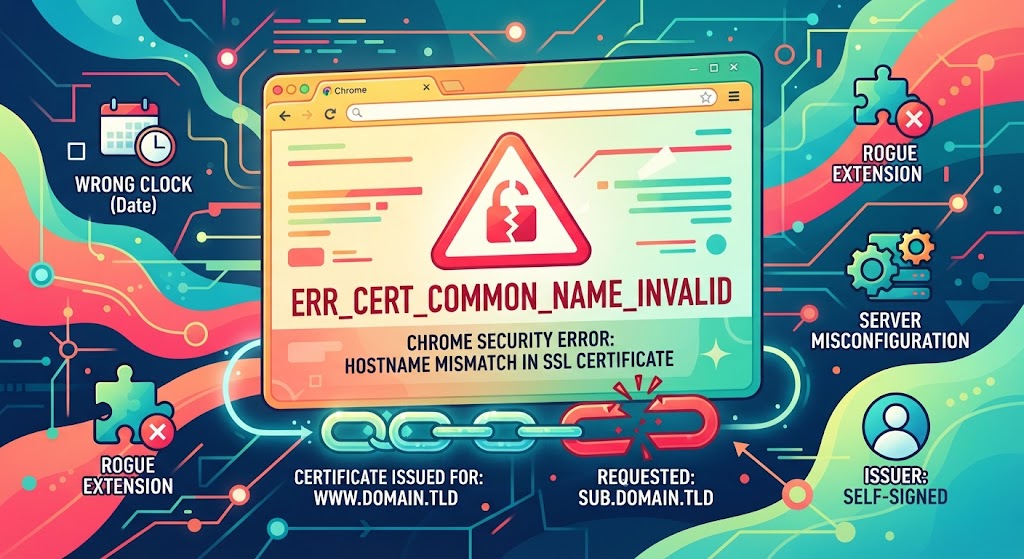
Chrome shows ERR_CERT_COMMON_NAME_INVALID when the hostname you typed does not appear in the site’s SSL certificate. A misconfigured certificate on the server causes most cases. The rest trace back to your own machine: a wrong clock, a rogue extension, or security software. Each cause has its own fix, and working through them in order saves a lot of guessing.
What ERR_CERT_COMMON_NAME_INVALID Means
The common name is the domain an SSL certificate was issued for. Chrome compares that name against the address in your bar before it opens a secure connection.
When the two do not match, the handshake stops and you get a “Your connection is not private” page. Firefox calls the same problem SSL_ERROR_BAD_CERT_DOMAIN. Safari just says it cannot verify the site.
Since Chrome 58, the browser reads the Subject Alternative Name field rather than the old common name field. A certificate missing your hostname from its SAN list triggers the warning even when the common name looks right.
What Causes the NET::ERR_CERT_COMMON_NAME_INVALID Error
Server-side causes: a certificate issued for a different domain, a self-signed certificate, a subdomain left uncovered, or an HTTPS redirect switched on before any certificate was bought.
Client-side causes: a clock set to the wrong date, a corrupted SSL cache, a broken extension, a proxy set up badly, or an antivirus tool intercepting HTTPS traffic.
How to Fix ERR_CERT_COMMON_NAME_INVALID in Chrome
1. Correct your date and time
Certificates carry validity windows. A clock set to the wrong day pushes the certificate outside its window, and Chrome rejects it.
Open your system settings, switch on automatic time sync, then reload the page. On phones, check the time zone as well.
2. Test your browser extensions
Open the site in an incognito window. Extensions stay off there by default, so a clean load points straight at one of them.
Press the three-dot menu, pick More tools, then Extensions. Switch them off one at a time until the page loads, then remove the culprit. Keeping a short list of vetted privacy add-ons for Chromium browsers beats running twenty of them.
3. Read the certificate served by the site
Click the Not Secure label at the left of the address bar and choose Certificate. The “Issued to” line names the domain the certificate actually covers.
Compare it against what you typed. An SSL bought for www.domain.tld and installed on sub.domain.tld leaves that subdomain unprotected. SSL Labs’ server test gives a sharper breakdown, including the full SAN list.
Check the issuer too. A certificate issued by localhost or the server hostname is self-signed and belongs on internal machines only, never on a public site.
4. Cover both www and non-www versions
Not every single-domain certificate covers both forms. A redirect from www to the bare domain then lands on a certificate that never mentions it.
Reissue the certificate with both names in the SAN field. For several subdomains, a wildcard or multi-domain certificate handles the lot in one go.
5. Clear the SSL state
Windows caches certificate data outside the browser. A stale entry keeps the warning alive after the server has already been fixed.
Open Internet Properties, go to the Content tab, and press Clear SSL state. Restart Chrome afterwards.
6. Check your proxy settings
A misconfigured proxy rewrites HTTPS traffic and hands you its own certificate. Right-click Network Access to open Internet Properties, pick the Connections tab, then LAN Settings.
Tick “Automatically detect settings” and reload. On untrusted networks, one of the VPN services with proper Linux clients is a cleaner option than a public proxy.
7. Update Chrome and your operating system
Old builds ship outdated root certificate stores and miss newer TLS support. Both produce certificate errors that no server change will fix.
Update the browser first, then the system. Chrome’s release cadence is fast, and the version-by-version release timeline shows how much has shifted in the certificate handling alone.
8. Review firewall and antivirus logs
Many security suites inspect HTTPS by substituting their own certificate. That substitution is exactly what Chrome flags.
Read the logs before changing anything. If the tool blocked a genuinely dangerous page, leave it blocked. Turning antivirus off wholesale is a bad trade, and the same caution applies to a self-hosted web application firewall sitting in front of your site.
ERR_CERT_COMMON_NAME_INVALID on WordPress Sites
The usual slip is enabling HTTPS in settings without ever installing a certificate. WordPress happily rewrites every URL to https, and the browser answers with the error.
Most hosts issue a free Let’s Encrypt certificate from one button in the control panel. On your own server, certbot handles issuance and installation in a single command.
Reverting to plain HTTP also clears the warning, but it strips the encryption protecting data in transit, so treat that as a stopgap.
How to Bypass the Error When You Need Access
Click Advanced on the warning page, then Proceed. Chrome opens the site with the padlock struck through.
Never enter passwords or payment details on a page reached that way. The warning can also mean a hijacked or redirected domain, and FOSS Post’s privacy and security guides for Linux users cover the habits worth building instead.
FAQs
What does ERR_CERT_COMMON_NAME_INVALID mean?
It means the domain in your address bar does not appear in the SSL certificate the server sent. Chrome cannot confirm the site’s identity, so it blocks the connection before any data moves.
Is ERR_CERT_COMMON_NAME_INVALID dangerous?
Usually not. Most cases come from a certificate installed wrong. It can also signal a hijacked domain or an interception attempt, so avoid entering credentials until the certificate is fixed.
How do I fix this error as a visitor, not the site owner?
Correct your system clock, test in incognito, clear the SSL state, and update Chrome. If the error persists on one site only, the server is at fault and only its owner can fix it.
Why does the error appear only on the www version?
The certificate covers one form of the domain but not the other. Reissuing it with both www and non-www names in the Subject Alternative Name field resolves the mismatch.
Does a wildcard certificate prevent NET::ERR_CERT_COMMON_NAME_INVALID?
Partly. A wildcard covers one level of subdomains, such as blog.domain.tld. It does not cover the bare domain or nested subdomains unless those names are added separately.
