

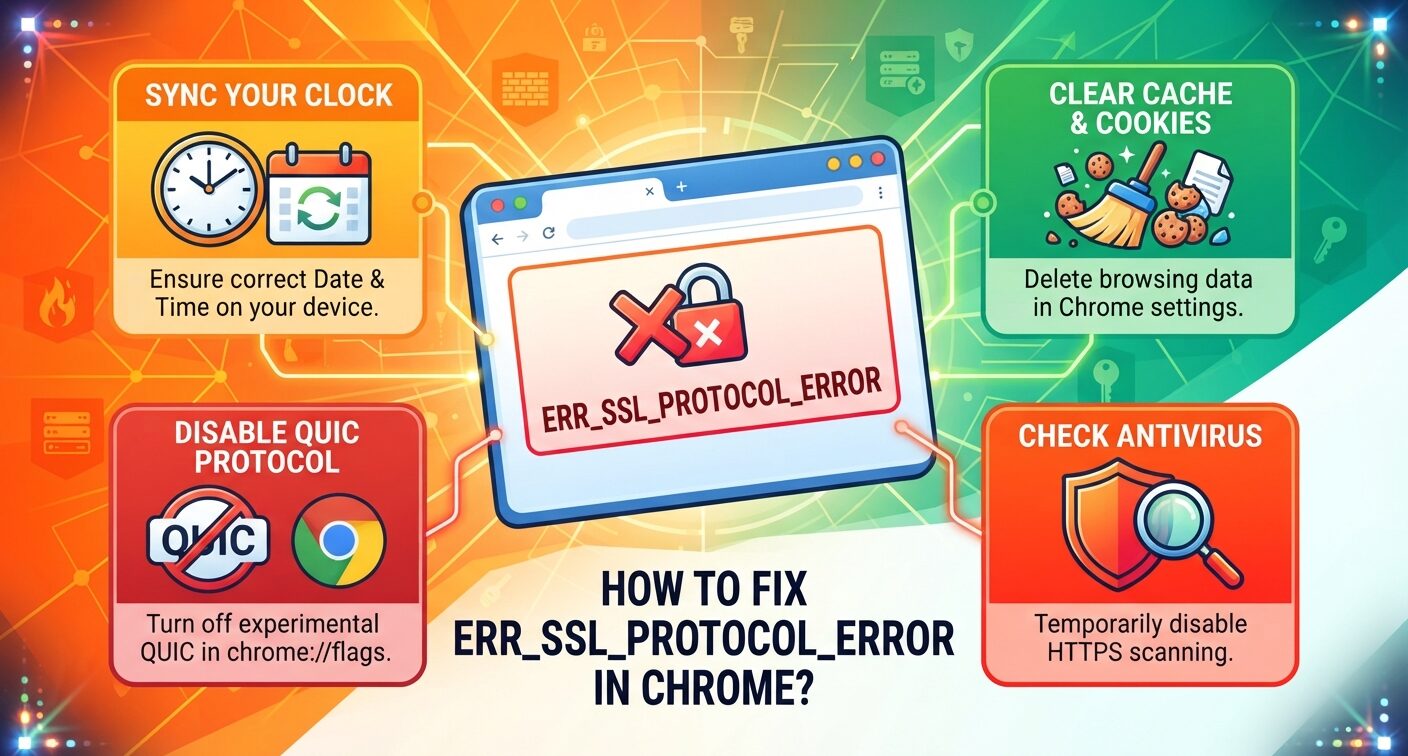
ERR_SSL_PROTOCOL_ERROR shows up in Chrome under the line “This site can’t provide a secure connection.” Chrome and the website failed to set up an encrypted link, so the page never loads.
The fault can sit on your computer, your network or the server. No single fix covers every case. The steps below run from safest to riskiest, so try them in order and reload after each one.
What ERR_SSL_PROTOCOL_ERROR Means in Chrome
Every HTTPS visit opens with a TLS handshake. Chrome and the server swap certificates, settle on a protocol version and agree on encryption keys.
When any part of that exchange breaks, Chrome stops and throws ERR_SSL_PROTOCOL_ERROR. The name still says SSL, even though sites have run on TLS for years.
Causes on your device
A wrong system clock, stale cached data, a faulty extension, a VPN or proxy, and antivirus tools that inspect HTTPS traffic.
Causes on the website
An expired or badly installed certificate, a missing intermediate certificate, outdated protocol versions, or redirect conflicts behind a CDN.
Some certificate faults get their own codes instead. A hostname that doesn’t match the certificate is one example.
Does the Error Hit One Site or Every Site?
Run this check before touching any settings. It tells you whether the fix is yours or the site owner’s.
- Open the page in an Incognito window with Ctrl+Shift+N.
- Load it in Firefox or Edge.
- Try your phone on mobile data, away from your Wi-Fi.
If the site fails on every device and network, the server is broken. Only its owner can repair it.
If it loads on mobile data but not on Wi-Fi, look at your router or a school or office firewall. If only your computer fails, keep reading.
Sync Your Clock First, a Frequent ERR_SSL_PROTOCOL_ERROR Trigger
Each certificate has a start date and an expiry date. If your clock sits outside that window, Chrome rejects a perfectly valid certificate.
The same mistake produces Chrome’s certificate date errors, so fix it even if you suspect something else.
On Windows 11, open Settings, then Time & language, then Date & time. Turn on Set time automatically and click Sync now. On a Mac, go to System Settings, General, Date & Time.
Delete Chrome’s Cached Files and Cookies
Chrome can keep data from an old certificate or a broken session. Press Ctrl+Shift+Delete, or Cmd+Shift+Delete on a Mac.
Set the time range to All time. Tick Cookies and other site data plus Cached images and files, then click Delete data.
This step also clears the ERR_CACHE_MISS resubmission prompt, so it’s worth repeating now and then.
How Do I Clear SSL State for Chrome on Windows?
Chrome has no button for it. Older guides send you through Advanced settings to the proxy options, but that path now opens the Windows proxy page.
Use the Control Panel tool instead:
- Press Windows + R.
- Type inetcpl.cpl and press Enter.
- Open the Content tab.
- Click Clear SSL state, then OK.
- Restart Chrome.
Mac and Linux have no matching switch. Move on to the next fix there.
Turn Off Chrome’s Experimental QUIC Protocol
QUIC is the Google-built transport behind HTTP/3. Chrome ships with it on, and some firewalls struggle with it.
Paste chrome://flags/#enable-quic into the address bar. Set Experimental QUIC protocol to Disabled and press Relaunch.
Chrome then falls back to TCP and TLS. If the error stays, set the flag back to Default. Pages that fail with a QUIC-specific error code need a different set of checks.
Antivirus HTTPS Scanning and ERR_SSL_PROTOCOL_ERROR
Many security suites decrypt your traffic, inspect it and encrypt it again. If the suite rejects a site’s protocol version, the handshake breaks.
Look for a setting called HTTPS scanning, SSL/TLS filtering or Encrypted web scan. Avast, ESET and Bitdefender use labels close to these.
Switch it off, reload the page, then switch it back on. If the site opened, add it as an exception rather than leaving protection off.
Scanners that re-sign traffic can also cause untrusted-authority warnings in Chrome.
Can You Still Enable Old SSL and TLS Versions in Chrome?
No. Older guides tell you to tick every SSL and TLS box in Windows Internet Options. Those boxes control the Windows network stack. Chrome runs its own TLS library and ignores them.
Chrome 84, released in July 2020, removed TLS 1.0 and 1.1. SSL 3.0 was gone well before that.
A site that only speaks those versions will fail in any current Chrome build. The owner has to move the server to TLS 1.2 or 1.3.
Why Does ERR_SSL_PROTOCOL_ERROR Keep Showing Up in Chrome?
A fix that works once and then fails points to something that reloads itself. Extensions, VPNs and an old browser build top the list.
If the page opens in Incognito, go to chrome://extensions and turn add-ons off one at a time until the error clears.
Disconnect any VPN or proxy and retest. A tunnel that reconnects mid-load can cut pages off too.
Open chrome://settings/help to install the latest build. Google now ships versions often, as Chrome’s release timeline shows.
Last, flush old DNS records with ipconfig /flushdns in Command Prompt. It’s the same flush used for ERR_NAME_NOT_RESOLVED.
FAQs
What causes ERR_SSL_PROTOCOL_ERROR in Chrome?
A failed TLS handshake. Common triggers include a wrong system clock, stale cache, antivirus HTTPS scanning, VPNs and extensions. On the server side, expired certificates and outdated protocol versions cause it.
Is ERR_SSL_PROTOCOL_ERROR dangerous?
The error does no harm to your device. Chrome blocks the page because it cannot confirm a secure link. Don’t enter passwords or card details on that site until it loads normally.
How do I fix ERR_SSL_PROTOCOL_ERROR on Android?
Set date and time to automatic, clear Chrome’s cache under Privacy and security, update Chrome from the Play Store and turn off any VPN. If other devices fail too, the site is at fault.
Should I follow Reddit tips to enable all SSL/TLS versions?
No. That tip no longer works. Chrome ignores the Windows protocol checkboxes and removed TLS 1.0 and 1.1 in Chrome 84. Changing them only weakens other Windows apps.
What should I check before asking Reddit about ERR_SSL_PROTOCOL_ERROR?
Test the site in Incognito, another browser and on mobile data. Note your Chrome version, antivirus and VPN. Add those details to your r/chrome or r/techsupport post so others can spot the cause.
